Bangkok Suvarnabhumi Wi-Fi, SIM & eSIM: Land Online (2026)
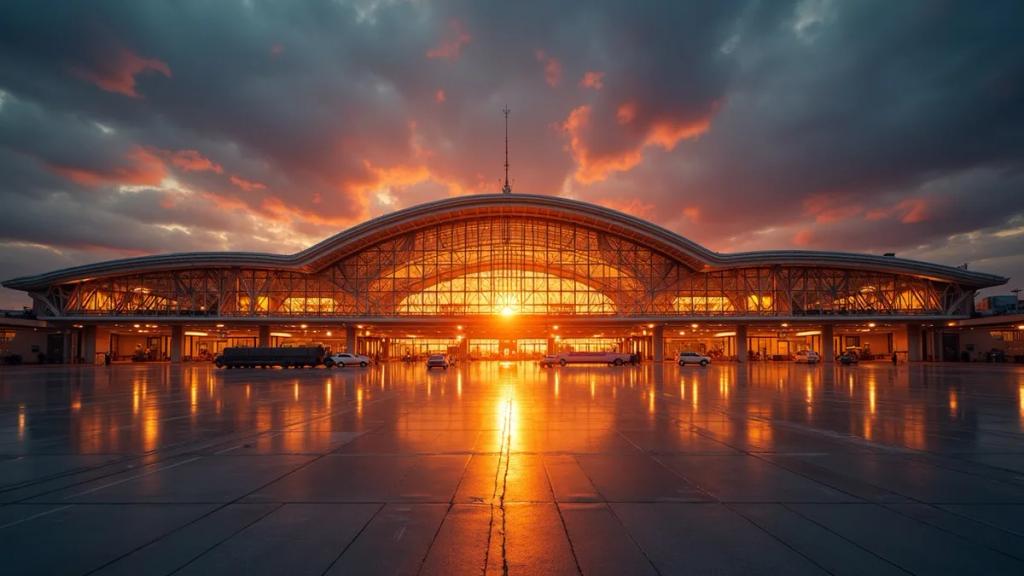
Suvarnabhumi (BKK) will not leave you offline: there is free AOT Wi-Fi in the terminal and a genuinely useful row of network SIM booths in the arrivals hall - but the Wi-Fi runs on a 60-minute clock and the booths come with queues and airport pricing. The smarter play is a Thailand eSIM from £2.49 installed at home, so your phone grabs a Thai network while the plane is still taxiing. Here is exactly what awaits at BKK, verified against Suvarnabhumi's official airport guide.
Is the Wi-Fi at Suvarnabhumi actually free?
Yes. Connect to "AOT Airport Free Wi-Fi by NT", enter your email on the captive portal, accept the terms, and the airport's official guide states you get 60 minutes of free access. AOT has also promoted longer free sessions (roughly three hours) through its SAWASDEE by AOT app - worth a look if you need more time, though session terms can change.
The honest caveats:
- It is on a timer. Sixty minutes covers immigration-queue scrolling, not an evening of planning.
- It ends at the door. No signal on the Airport Rail Link once it leaves, in the taxi queue, or on the tollway into town.
- It is a shared public network. Fine for maps and messages; think twice before online banking on it.
Where the free Wi-Fi genuinely wins: it is exactly enough to download and install an eSIM if you forgot to at home. More on that below.
Can you buy a SIM card at Suvarnabhumi arrivals?
Yes, and BKK is honestly one of the better airports in the world for it. The arrivals hall (Level 2) has staffed booths from the major Thai operators - AIS, True (TrueMove H) and dtac - selling tourist SIMs with generous data, open to meet essentially every flight. Staff handle the passport registration Thailand requires and will install the SIM for you. For a long stay where you want a Thai number, this is a legitimate option.
The honest trade-offs:
- Queues after long-haul waves. When three widebodies land together, you can stand in line for a while with your luggage - exactly when you least want to.
- Airport premium. Tourist packages at the booths generally cost more than the same operators charge at 7-Eleven or a mall shop in town. Not outrageous by global standards, but you pay for the location.
- Physical swap. Your home SIM comes out (unless the booth sells you an eSIM), which matters when your bank texts a login code an hour later.
If your phone is unlocked and eSIM-capable - check our will my phone work in Thailand guide if you are not sure - you can skip the queue entirely.
What is the smarter play for landing online?
Install a Thailand eSIM before you fly: buy, scan the QR code on your home Wi-Fi, and leave the line off until landing. When the wheels touch at Suvarnabhumi, flip it on and your phone registers on a Thai network while the SIM-booth queue is still forming.
| Data | Duration | Price |
|---|---|---|
| 1GB Data | 7 Days | £2.49 |
| 3GB Data | 30 Days | £3.17 |
| 5GB Data | 30 Days | £4.68 |
| 10GB Data | 30 Days | £7.40 |
| 20GB Data | 30 Days | £11.33 |
| 1 Day | 1 Day | £2.59 |
| 2 Days | 2 Days | £5.19 |
| 3 Days | 3 Days | £7.78 |
| 4 Days | 4 Days | £10.20 |
| 5 Days | 5 Days | £12.93 |
| 6 Days | 6 Days | £15.67 |
| 7 Days | 7 Days | £18.41 |
| 8 Days | 8 Days | £19.78 |
| 9 Days | 9 Days | £21.83 |
| 10 Days | 10 Days | £23.20 |
| 11 Days | 11 Days | £25.25 |
| 12 Days | 12 Days | £27.30 |
| 13 Days | 13 Days | £28.67 |
| 14 Days | 14 Days | £30.04 |
| 15 Days | 15 Days | £32.09 |
| 16 Days | 16 Days | £33.46 |
| 17 Days | 17 Days | £34.15 |
| 18 Days | 18 Days | £35.51 |
| 19 Days | 19 Days | £37.57 |
| 20 Days | 20 Days | £38.94 |
| 21 Days | 21 Days | £40.30 |
| 22 Days | 22 Days | £40.99 |
| 23 Days | 23 Days | £41.67 |
| 24 Days | 24 Days | £42.36 |
| 25 Days | 25 Days | £43.04 |
| 26 Days | 26 Days | £43.73 |
| 27 Days | 27 Days | £44.41 |
| 28 Days | 28 Days | £45.09 |
| 29 Days | 29 Days | £45.78 |
| 30 Days | 30 Days | £47.15 |
- Fixed price chosen in advance - no airport markup, no roaming surprise next month.
- Your home SIM stays in for calls, texts and 2FA codes via dual SIM.
- No passport paperwork at a counter after a 12-hour flight.
- Top up from the dashboard if Bangkok eats more data than planned.
What actually needs data the moment you land at BKK?
More than you might think, because BKK's transit options live on different floors and your onward plans live in apps:
- Airport Rail Link: the City Line leaves from the station on basement Level B1, runs roughly 06:00 to midnight, and reaches Makkasan (MRT interchange) in about 22 minutes and Phaya Thai (BTS interchange) in about 26 minutes for a maximum fare of around 45 baht. Tickets come from machines at the station, but checking whether the line fits your hotel, and which interchange to use, is a data job.
- Grab: ride-hailing pickups are not at the arrivals curb. The designated Grab pick-up points (zones A to D) are down on Level 1, Gate 4 - from the arrivals exit on Level 2, head to Exit 4 and take the escalator down one floor. The app coordination with your driver happens exactly where the terminal Wi-Fi is fading.
- Arrival admin: messaging your hotel, pulling up the booking, translating your first Thai signage, and the "just landed" home.
- Metered taxis: the rank is also on Level 1 via a queue-ticket kiosk - no data strictly needed, but you will want maps running to sanity-check the route.
What if Bangkok is just your layover?
Transit passengers get the same 60-minute AOT Wi-Fi, which covers a short connection - budget some of it for the airline app, since BKK is a huge hub and gates change. For a long layover, Thailand grants many nationalities visa-free entry: with six hours or more you can realistically ride the Airport Rail Link into the city for a bowl of boat noodles. The connectivity gap starts at the doors, and a Thailand eSIM turns a layover into an actual Bangkok afternoon with maps, fares and translation in your pocket.
How do you set it up before the flight lands?
- Buy the £2.49 Thailand plan at home and scan the QR code on your home Wi-Fi.
- Leave the eSIM line switched off for the flight.
- After landing, turn it on and set it as your data line; switch data roaming OFF on your home SIM.
- You are online during taxi-in, before the seatbelt sign is even off.
- Forgot to install? Use "AOT Airport Free Wi-Fi by NT" in arrivals - 60 minutes is plenty to download and activate the eSIM, still faster than the booth queue.
The bottom line
Suvarnabhumi is a well-connected arrival: free (if time-limited) Wi-Fi, and network booths that are better run than most airports'. But the Wi-Fi dies at the door, the booths have post-long-haul queues and location pricing, and roaming bills whatever your network feels like. A Thailand eSIM from £2.49 installed before departure has you online from touchdown, down the escalator to the Grab pickup on Level 1, and all the way into Bangkok - with your home number still live for the bank codes.
How long is the free Wi-Fi at Suvarnabhumi Airport?
The official "AOT Airport Free Wi-Fi by NT" gives 60 minutes after an email sign-in, per the airport's own guide. AOT has offered longer free sessions via its SAWASDEE by AOT app - or use the hour to install an eSIM and stop caring.
Which SIM card booths are at Suvarnabhumi arrivals?
Staffed booths from AIS, True (TrueMove H) and dtac sell tourist SIM packages and handle the required passport registration. Expect a premium over town prices and a queue when several flights land together.
Is there mobile signal on the Airport Rail Link into Bangkok?
The station sits on basement Level B1 and the line runs partly underground. Thai network coverage along the route is generally decent but not seamless below ground - buy your ticket at the station machines first, then reconnect as the train surfaces.
Can I just use my phone's roaming at Bangkok Airport instead?
Yes - Thai networks pick you up immediately, and for a two-hour layover that may be fine. The question is price: roaming in Thailand is billed at your home network's rates, often as a pricey daily pass. A fixed-price Thailand eSIM is usually cheaper for anything longer than a connection.
Where is the Grab pickup at Suvarnabhumi?
On Level 1 (ground floor) at Gate 4, in marked pickup zones A to D. From the arrivals hall on Level 2, walk to Exit 4 and take the escalator down one level - and note you will want mobile data there, past where the terminal Wi-Fi reliably reaches.
Land at Suvarnabhumi already online
A Thailand eSIM from eSIMpass installs at home in two minutes - fixed price, Thai network from touchdown, your home number kept via dual SIM, top-up anytime.
Get Your Thailand eSIM