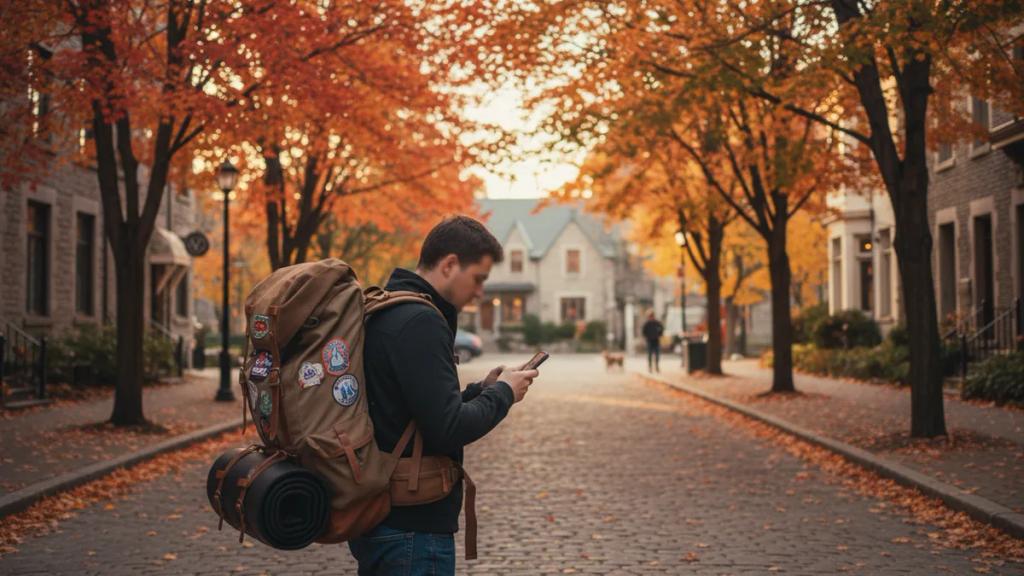
No, you do not need a physical SIM card for Japan. The simplest way to stay connected is an eSIM, and eSIMpass's Japan plan starts at £1.75. You scan a QR code before you leave home, land at Haneda, Narita, or Kansai, and your phone is online the moment you turn off airplane mode. No SIM tray to open, no counter to queue at, no returning a rented device before your flight.
That said, "you don't need a SIM card" is not the same as "you don't need anything." Japan runs on data. Train apps, Google Translate, cashless payments, restaurant reservations, and navigating a subway map that would humble a local all lean on a connection. This guide walks through every realistic option, what each one costs, and who each one actually suits, so you can pick with confidence.
The Short Answer
You have four ways to get data in Japan:
- Roam on your home network - easiest, usually the most expensive.
- Buy a local physical SIM - cheap data, but a hassle for a short trip.
- Use an eSIM - digital, instant, no physical card. Best for most travellers.
- Rent a pocket Wi-Fi device - good for groups, worst for a solo traveller.
A physical SIM card is only one of those four, and for most people it is not the best one. Japan's networks - NTT Docomo, SoftBank, au (KDDI), and Rakuten Mobile - are excellent and dense, so the real question is not "which SIM" but "which delivery method." Below, each option in plain terms.
Option 1: Roaming on Your Home Network
The zero-effort choice. Leave your phone as it is, switch on data roaming, and your existing number works for calls, texts, and internet.
Pros: Nothing to buy or install. You keep your own phone number, so two-factor SMS codes and calls just work.
Cons: Price. Most networks charge a daily international roaming fee, commonly in the range of $10-15 per day, and some throttle speeds or cap the daily allowance. A two-week trip at $12 per day is over $160 for data you could get for a fraction of that. Some pay-as-you-go plans are worse, billing per megabyte at rates that turn one map session into a nasty surprise.
Best for: Very short trips (a day or two), or travellers whose network includes Japan in a genuinely cheap or free roaming bundle. Check your plan before you assume - a few premium plans do include international days.
Option 2: A Local Japanese Physical SIM
Buy a prepaid data SIM, pop it into your phone, and you are on a Japanese network at local prices.
Pros: Cheap per gigabyte once you have it. Widely sold at airport kiosks, electronics stores like Bic Camera and Yodobashi, and convenience stores.
Cons: Several. Most tourist SIMs sold in Japan are data-only - Japan tightly regulates voice SIMs for visitors, so you generally will not get a Japanese phone number for calls and SMS anyway. You need to physically swap your home SIM out (and not lose it), your phone must be network-unlocked, and you burn arrival time finding a shop and setting it up. If your flight lands late, the airport counters may be closed.
Best for: Longer stays where the per-gigabyte saving outweighs the setup hassle, or travellers who specifically want a physical card in hand.
Option 3: An eSIM (Recommended for Most Travellers)
An eSIM does everything a local physical SIM does, minus the plastic. It is a digital profile you install by scanning a QR code. Your phone keeps its normal SIM in place, and the eSIM rides alongside it on the same networks - Docomo, SoftBank, au - that the physical cards use.
Pros:
- Set up before you fly. Buy it at home, install it, and it activates when you land. No airport queue.
- Instant delivery. eSIMpass sends the QR code by email right after purchase, with no activation fee.
- Keep your own number. The eSIM is data-only, so you run it in dual-SIM mode: your home SIM stays active for calls and texts, the eSIM handles all data. More on that below.
- Nothing to return. Unlike a rented device, when the plan ends you just delete it.
Cons: Your phone must support eSIM (most do - iPhone XR and newer, Samsung Galaxy S20 and newer, Google Pixel 3 and newer) and be network-unlocked. It is data-only, so there is no Japanese phone number, which is a non-issue for nearly everyone (see the FAQ).
Best for: The large majority of travellers - solo visitors, couples, business trips, and anyone who values landing already connected. This is why we recommend it. See the full Japan eSIM plan, or read the broader travel eSIM guide if this is your first one. Our best eSIM for Japan guide compares every option in depth.
Option 4: Pocket Wi-Fi Rental
A pocket Wi-Fi (also called a mobile hotspot or "Wi-Fi egg") is a small rented battery-powered router that broadcasts a Wi-Fi signal your devices connect to. It is a genuine and popular option in Japan.
Pros: One device can cover a whole group or family, which spreads the cost. Often generous or unlimited data. Nothing to install on your phone.
Cons: It is another gadget to carry and charge - the battery typically lasts a full day but dies if you forget it, and then everyone is offline. You usually reserve it in advance and either collect it at an airport counter or have it mailed to your hotel, then you must return it before you leave, often by dropping it in a prepaid envelope at the airport. Rental runs roughly $5-10 per day for the device, so a solo traveller pays for connectivity plus a router they do not need.
Best for: Families or groups of three-plus travelling together the whole time, or people who need to connect a laptop and several devices heavily.
From the UK: Entry, Flights and What Your Network Charges
British passport holders do not need to apply for anything before visiting Japan: you get permission to stay for up to 90 days on arrival, which can be extended once by another 90 days at an immigration office. Your passport only needs to be valid for the length of your stay, with one blank page. Fill in your arrival details on the government's Visit Japan Web beforehand and you show a QR code instead of paper forms. Japan has passed a law for an online pre-travel authorisation, JESTA, but it is not expected before 2028, so there is nothing to apply for now.
Check your wash bag before you pack: the Foreign Office says some common UK medicines are illegal in Japan, including Vicks inhalers and cold and flu tablets containing pseudoephedrine. Japan is still largely a cash society and some UK cards fail; cash machines at 7-Eleven stores, post offices and JP Post Bank accept many foreign cards. Carry your passport at all times (gov.uk, updated 28 August 2026).
British Airways and Japan Airlines each fly from Heathrow to Tokyo Haneda twice a day, and ANA once a day, in about 13 and a half to 14 hours. Japan is eight hours ahead of the UK in British Summer Time and nine in winter. Sockets are flat two-pin types A and B at 100 V; most phone and laptop chargers handle that, but you need an adaptor.
On your UK plan, roaming in Japan is expensive: EE charges £8 for 24 hours with only 500MB of data, O2's O2 Travel pass is £7 a day, Vodafone £8 a day and Three £7 a day - from each network's own guide, checked 9 October 2026.
Rough Costs Side by Side
| Option | Rough cost | Setup effort | Your own number? |
|---|---|---|---|
| Home-network roaming | ~$10-15 / day | None | Yes |
| Local physical SIM | Low per GB | Medium (shop + swap) | No (data-only) |
| eSIM | From £1.75 | Low (scan QR) | Yes (dual-SIM) |
| Pocket Wi-Fi | ~$5-10 / day + return | Medium (rent + return) | No |
Costs are indicative and vary by network, provider, and data amount. The pattern holds: roaming is the priciest for anything beyond a day or two, pocket Wi-Fi only makes sense split across a group, and an eSIM is the cheapest hassle-free way for an individual or couple.
Japan eSIM Plans and Pricing
| Data | Duration | Price |
|---|---|---|
| 1GB Data | 7 Days | £1.75 |
| 3GB Data | 15 Days | £4.32 |
| 5GB Data | 30 Days | £5.98 |
| 10GB Data | 30 Days | £9.97 |
| 20GB Data | 30 Days | £16.62 |
| 50GB Data | 30 Days | £25.68 |
| 1 Day | 1 Day | £2.59 |
| 2 Days | 2 Days | £5.19 |
| 3 Days | 3 Days | £7.78 |
| 4 Days | 4 Days | £10.20 |
| 5 Days | 5 Days | £12.93 |
| 6 Days | 6 Days | £15.67 |
| 7 Days | 7 Days | £18.41 |
| 8 Days | 8 Days | £19.78 |
| 9 Days | 9 Days | £21.83 |
| 10 Days | 10 Days | £23.20 |
| 11 Days | 11 Days | £25.25 |
| 12 Days | 12 Days | £27.30 |
| 13 Days | 13 Days | £28.67 |
| 14 Days | 14 Days | £30.04 |
| 15 Days | 15 Days | £32.09 |
| 16 Days | 16 Days | £33.46 |
| 17 Days | 17 Days | £34.15 |
| 18 Days | 18 Days | £35.51 |
| 19 Days | 19 Days | £37.57 |
| 20 Days | 20 Days | £38.94 |
| 21 Days | 21 Days | £40.30 |
| 22 Days | 22 Days | £40.99 |
| 23 Days | 23 Days | £41.67 |
| 24 Days | 24 Days | £42.36 |
| 25 Days | 25 Days | £43.04 |
| 26 Days | 26 Days | £43.73 |
| 27 Days | 27 Days | £44.41 |
| 28 Days | 28 Days | £45.09 |
| 29 Days | 29 Days | £45.78 |
| 30 Days | 30 Days | £47.15 |
Every plan covers the whole country on the major Japanese networks - Tokyo, Kyoto, Osaka, Hokkaido, Okinawa, and the shinkansen routes in between. Pick the data size that matches your trip length and delete it when you get home.
Not sure how much data you need? Estimate it here:
Is Free Wi-Fi Enough on Its Own?
Short answer: no, and it is the mistake that catches the most travellers.
Japan does have free Wi-Fi - at major stations, airports, convenience stores, many cafes, and some trains. On paper it looks like you could skip mobile data entirely. In practice, relying on it alone fails exactly when you need connectivity most:
- It is not where you are. The moment you leave a station or cafe, you are offline - which is precisely when you are trying to navigate to somewhere on foot.
- Many hotspots need a clunky sign-in. Registration screens, email captures, and time limits per session are common, and some are Japanese-only.
- It is unencrypted. Open public Wi-Fi is a poor place to log into your bank or enter card details.
- No real-time navigation or translation on the move. Live Google Maps directions and camera translation both need a connection while you are walking, not just when you happen to be standing in a Starbucks.
Free Wi-Fi is a fine bonus for backing up photos at the hotel or saving data on a big download. As your only connection, it turns every walk between two points into a guessing game. Pair it with an eSIM and you get the best of both: free Wi-Fi when it is convenient, real data everywhere else.
Why You Need Data in Japan at All
If you are still tempted to travel offline, here is what a connection actually unlocks in Japan specifically:
- Transit apps. Japan's rail network is world-class and genuinely complex. Apps like Google Maps and Japan Transit Planner tell you the exact platform, car, and transfer - live, as delays happen.
- Translation. Menus, signs, and ticket machines are often Japanese-only. Camera translation turns a wall of kanji into English instantly, but needs data on the spot.
- Cashless payment. IC cards, QR payments, and mobile wallets are everywhere, and topping up or troubleshooting often needs a connection.
- Reservations. Popular restaurants, teamLab, and Studio Ghibli-adjacent attractions frequently require timed online bookings you manage on the move.
- Staying reachable. Tour operators, hotels, and your travel group reach you over WhatsApp or LINE, Japan's dominant messaging app.
Our Recommendation
For the overwhelming majority of travellers, get an eSIM. It is cheaper than roaming, less hassle than a physical SIM or a rented router, and it has you online the second you land. Install it at home, keep your home SIM for calls, and enjoy the trip.
Two sensible exceptions. If you are a group or family of three or more travelling together the entire time, price out a pocket Wi-Fi - splitting one device can work out cheaper. And if your trip is only a day or two and your network's roaming is cheap or included, roaming may not be worth beating. Everyone else: eSIM.
Ready to set one up? Here is how to install and activate an eSIM, and you can confirm your handset on the compatible devices list first. Landing at Tokyo's main airports? See the Haneda airport eSIM and Narita airport eSIM pages.
Frequently Asked Questions
Do I really not need a physical SIM card for Japan?
Correct. A physical SIM is just one delivery method for mobile data, and for a short trip it is usually the least convenient one. An eSIM gives you the same Japanese network access with no card to insert, and roaming or pocket Wi-Fi are alternatives too. You only need a physical SIM if you specifically prefer one or your phone has no eSIM support.
Will I get a Japanese phone number with an eSIM?
No. eSIMpass plans are data-only, which is standard for tourist connectivity in Japan - visitor voice SIMs are tightly regulated here regardless of provider. You almost never need a local number: keep your home SIM active for calls and SMS (including two-factor codes), let the eSIM carry all data, and make any calls over WhatsApp, LINE, or FaceTime, which run on data.
How does dual-SIM work so I keep my own number?
Modern phones hold two SIMs at once - your normal physical SIM and the eSIM. In Settings you set the eSIM as the line for mobile data and leave your home number as the line for calls and texts. Turn data roaming off on your home line so it never rings up charges, and turn it on for the eSIM. You stay reachable on your usual number while paying Japanese-plan data prices.
Which is cheaper, an eSIM or pocket Wi-Fi?
For one or two people, an eSIM is almost always cheaper - there is no daily device rental and nothing to return. Pocket Wi-Fi only pulls ahead for groups of three or more sharing a single device, because that one rental fee is split several ways. A solo traveller pays the full device cost for hardware they do not need.
Can I just use free Wi-Fi and skip data entirely?
Not comfortably. Japan has plenty of free Wi-Fi, but it is only where you are standing still, often needs a sign-in, and leaves you offline for live navigation and translation the moment you start walking. Treat it as a bonus for the hotel and big downloads, not as your only connection. See the Japan eSIM plans if budget is the concern - they cost little and solve the coverage gap.
Will my phone work with a Japan eSIM?
Most phones from 2018 onward support eSIM, including iPhone XR and newer, Samsung Galaxy S20 and newer, and Google Pixel 3 and newer, and they use the same LTE and 5G bands as Japan's networks. Your phone must be network-unlocked. For step-by-step setup, see the guides for eSIM on iPhone and eSIM on Android.
When should I install the eSIM - before or after I fly?
Install it before you fly, while you have your home Wi-Fi, because scanning the QR code needs an internet connection. Activation, though, happens when you arrive: per-GB plans only start counting validity from first connection in Japan, and an Unlimited plan runs on the travel dates you selected at checkout - so installing early wastes no days on either (just have an Unlimited eSIM installed by your selected start date). You land, switch off airplane mode, and you are connected.
Skip the SIM swap and the airport queue
Join 10,000+ travellers who chose eSIMpass. One Japan plan, instant QR delivery, online the moment you land at Haneda, Narita, or Kansai.
Get Your Japan eSIM