Renting a pocket Wi-Fi router in Japan is still worth it in 2026 - but only in specific cases: families and groups sharing one connection, laptop and business travellers who tether all day, and anyone whose phone cannot run an eSIM. For everyone else, a Japan eSIM from eSIMpass starting at £1.75 is lighter, cheaper, and has nothing to pick up or hand back. This guide looks at the question from the router's side: where a rental genuinely still beats the alternatives, how the rental actually works day to day, and how to tell honestly if you are in the group that should skip it.
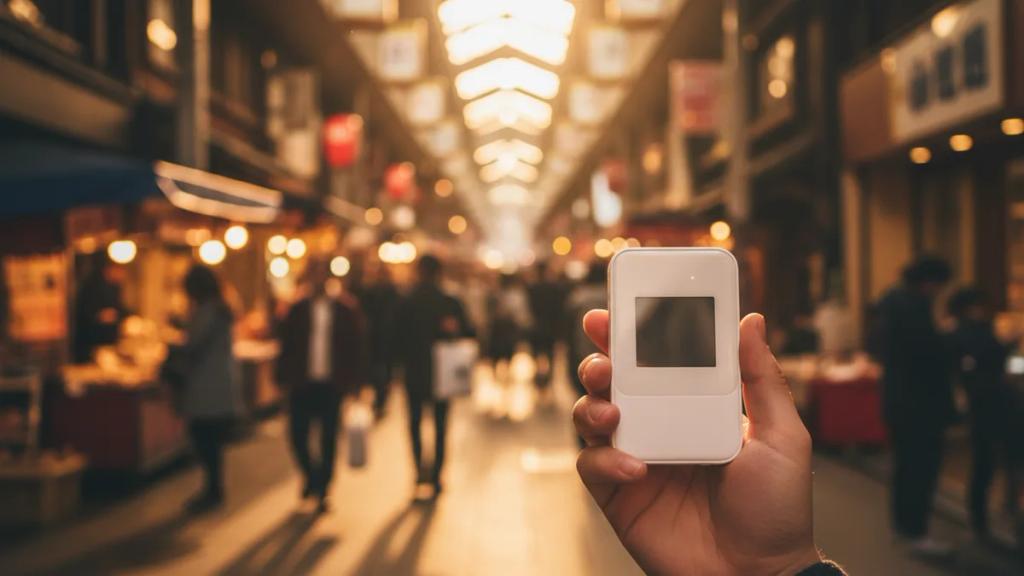
Pocket Wi-Fi (the "Wi-Fi egg" you see at every Japanese airport) ruled travel connectivity here for a decade. It has not vanished for a reason - some travellers are genuinely better served by a shared box than by a SIM on a single phone. Let's be fair about who those travellers are.
Where a Rental Router Genuinely Still Wins
These are the situations where reaching for pocket Wi-Fi is the smart call, not the outdated one.
Families and groups sharing one connection
This is the router's strongest case. One pocket Wi-Fi unit connects five to ten devices at once - phones, tablets, a laptop - all on a single daily fee. A family of four or a group of friends who move together through the day pay once and split it. Instead of everyone buying their own plan, the group shares one bill, and the per-person cost drops well below individual connections. The trade-off is that everyone has to stay within range of whoever is carrying the box.
Laptop and business travellers
If you are working from cafes, uploading large files, joining video calls, or living out of a laptop for hours a day, a dedicated router with its own battery carries that load without flattening your phone. Business travellers also like that a rental keeps a clean line between the work device and the personal phone, and many rental companies can invoice the trip as a single expense.
Phones that are not eSIM-compatible or are network-locked
An eSIM needs a phone that supports it and is not locked to a home network. Older handsets, some budget models, and network-locked phones fall outside that. Pocket Wi-Fi does not care what phone you own - it broadcasts ordinary Wi-Fi that any device joins, locked or not. If your handset is not on the compatible devices list, or your network has not unlocked it, a rental is the clean path.
Heavy tethering all day
Tethering a laptop or a second phone to your own device drains a phone battery fast. If heavy tethering is your normal pattern rather than an occasional need, a router built for exactly that - with its own battery to sacrifice - is the better tool.
How Pocket Wi-Fi Rental Actually Works
The router is a small battery-powered device with its own data SIM inside, running on Japan's national networks - NTT Docomo, SoftBank, or au (KDDI) - so coverage is strong across cities, the shinkansen corridors, and most populated areas. Here is the practical cycle.
- Reserve ahead. You book online before the trip, usually days or weeks out, especially in peak seasons like cherry blossom and autumn leaves when stock runs thin.
- Pick it up. Most people collect at an airport counter or post office on arrival. Many companies will instead mail the unit to your first hotel so it is waiting when you check in.
- Cost and deposit. Typical all-you-can-use rentals run roughly 500 to 900 yen a day (about 3 to 6 euros), often with optional damage insurance on top. Some rentals ask for a deposit or a card hold against loss or damage.
- Carry and charge it. It is a second device to keep in a bag and recharge every night. A unit usually lasts most of a sightseeing day, so on long days many travellers carry a power bank for the router on top of the one for their phone.
- Return it. At the end you hand it back at an airport counter or post it in the provided prepaid envelope. Miss the counter hours or lose the envelope and you can owe late or replacement fees.
- If you lose it. You are financially responsible for the device the whole trip. A lost or badly damaged unit means a replacement charge, which is what the insurance option and deposit cover.
None of this is hard. It is simply a rental transaction wrapped around your trip - a pickup, a daily charge, and a return - and whether that is worth it depends entirely on which group above you fall into.
Who Should Skip It and Just Get an eSIM
Being honest about the router means being honest about its limits. If you are a solo traveller or a couple with modern, unlocked phones, pocket Wi-Fi is usually the wrong pick. You pay the full daily rental rate whether one person uses it or two, you carry and charge a second device, you queue at a counter before you have any signal, and you are on the hook if it goes missing. An eSIM removes all of that: it installs from a QR code before you fly, activates the moment you land at Haneda or Narita, and there is nothing to collect, carry, or return.
Coverage is not a reason to choose one over the other. Both connect to Japan's major networks, so in Tokyo, Kyoto, and Osaka you get the same signal from a box or a profile. eSIMpass plans are prepaid and data-only, which for Japan travel is all you need - maps, translation, LINE, and calls over WhatsApp or FaceTime all run on data. For the full number-crunching on which is cheaper for a two-week trip, see our pocket Wi-Fi vs eSIM cost comparison, and if you have decided data is all you want, our guide to the best eSIM for Japan picks the right plan size.
Japan eSIM Plans and Pricing
If you land in the "skip the router" group, here is what the eSIM side costs:
| Data | Duration | Price |
|---|---|---|
| 1GB Data | 7 Days | £1.75 |
| 3GB Data | 15 Days | £4.32 |
| 5GB Data | 30 Days | £5.98 |
| 10GB Data | 30 Days | £9.97 |
| 20GB Data | 30 Days | £16.62 |
| 50GB Data | 30 Days | £25.68 |
| 1 Day | 1 Day | £2.59 |
| 2 Days | 2 Days | £5.19 |
| 3 Days | 3 Days | £7.78 |
| 4 Days | 4 Days | £10.20 |
| 5 Days | 5 Days | £12.93 |
| 6 Days | 6 Days | £15.67 |
| 7 Days | 7 Days | £18.41 |
| 8 Days | 8 Days | £19.78 |
| 9 Days | 9 Days | £21.83 |
| 10 Days | 10 Days | £23.20 |
| 11 Days | 11 Days | £25.25 |
| 12 Days | 12 Days | £27.30 |
| 13 Days | 13 Days | £28.67 |
| 14 Days | 14 Days | £30.04 |
| 15 Days | 15 Days | £32.09 |
| 16 Days | 16 Days | £33.46 |
| 17 Days | 17 Days | £34.15 |
| 18 Days | 18 Days | £35.51 |
| 19 Days | 19 Days | £37.57 |
| 20 Days | 20 Days | £38.94 |
| 21 Days | 21 Days | £40.30 |
| 22 Days | 22 Days | £40.99 |
| 23 Days | 23 Days | £41.67 |
| 24 Days | 24 Days | £42.36 |
| 25 Days | 25 Days | £43.04 |
| 26 Days | 26 Days | £43.73 |
| 27 Days | 27 Days | £44.41 |
| 28 Days | 28 Days | £45.09 |
| 29 Days | 29 Days | £45.78 |
| 30 Days | 30 Days | £47.15 |
Plans are prepaid with no deposit, no daily rental clock, and no contract - you pay once for the data you choose and it expires on its own. Browse the full Japan eSIM options, or see how to size a data plan if you are a light user.
How Much Data Would You Actually Need?
Whether you rent a router or install an eSIM, right-sizing the data is where the real savings hide, and most Japan travellers overbuy. A week of maps, messaging, social media, and the occasional video call needs far less than the giant plans people reach for by default. Estimate yours here:
As a rough guide: light users on maps and messaging do fine on a few GB a week; moderate users who post photos and stream music want more headroom; heavy all-day tethering is exactly the pattern that tips you back towards a pocket Wi-Fi router's larger shared allowance. If you travel with data-hungry habits across many trips, our travel eSIM guide covers sizing in more depth.
Frequently Asked Questions
Is pocket Wi-Fi still worth it in Japan in 2026?
Yes, in specific cases: a family or group sharing one connection, a laptop or business traveller who tethers all day, or anyone whose phone cannot run an eSIM. For a solo traveller or couple with modern unlocked phones, an eSIM is usually the better and cheaper choice.
How does renting pocket Wi-Fi in Japan work?
You reserve online before your trip, then collect the router at an airport counter or have it mailed to your hotel. You carry and charge it daily, and at the end you return it at a counter or post it back in a prepaid envelope. Rentals typically cost around 500 to 900 yen a day, sometimes with a deposit or optional damage insurance.
What happens if I lose the pocket Wi-Fi device?
You are financially responsible for the router for the whole rental, so a lost or badly damaged unit means a replacement fee. That is what the optional damage insurance and any deposit are there to cover. An eSIM has no physical device, so there is nothing to lose or be liable for.
Can pocket Wi-Fi connect my laptop and my whole family?
Yes - that is its strongest use. One unit can serve five to ten devices at once on a single bill, which makes it economical for groups who stay together and useful for laptop-heavy work. The catch is that everyone has to remain within range of whoever holds the device.
My phone does not support eSIM - is pocket Wi-Fi my only option?
It is the simplest option, since the router broadcasts Wi-Fi any device can join regardless of eSIM support or network lock. Before you rule out an eSIM, though, check your handset on our compatible devices page - most phones from 2018 onward support eSIM, and a network-locked phone can often be unlocked.
Is an eSIM cheaper than pocket Wi-Fi for one person?
For a solo traveller or a couple, almost always, because you pay the router's full daily rate no matter how few people use it. For a group sharing one device the maths can flip in the router's favor. Our pocket Wi-Fi vs eSIM cost comparison runs the full two-week numbers.
Not renting a router? Land in Japan already connected
A Japan eSIM installs in minutes with instant QR delivery. No counter, no deposit, nothing to carry or return - just scan and go.
Get Your Japan eSIM