Skip to content

eSIM Uzbekistan

Prepaid travel data for Uzbekistan with instant activation and no roaming fees

Uzbekistan travel destination - Buy eSIM Uzbekistan for mobile internet
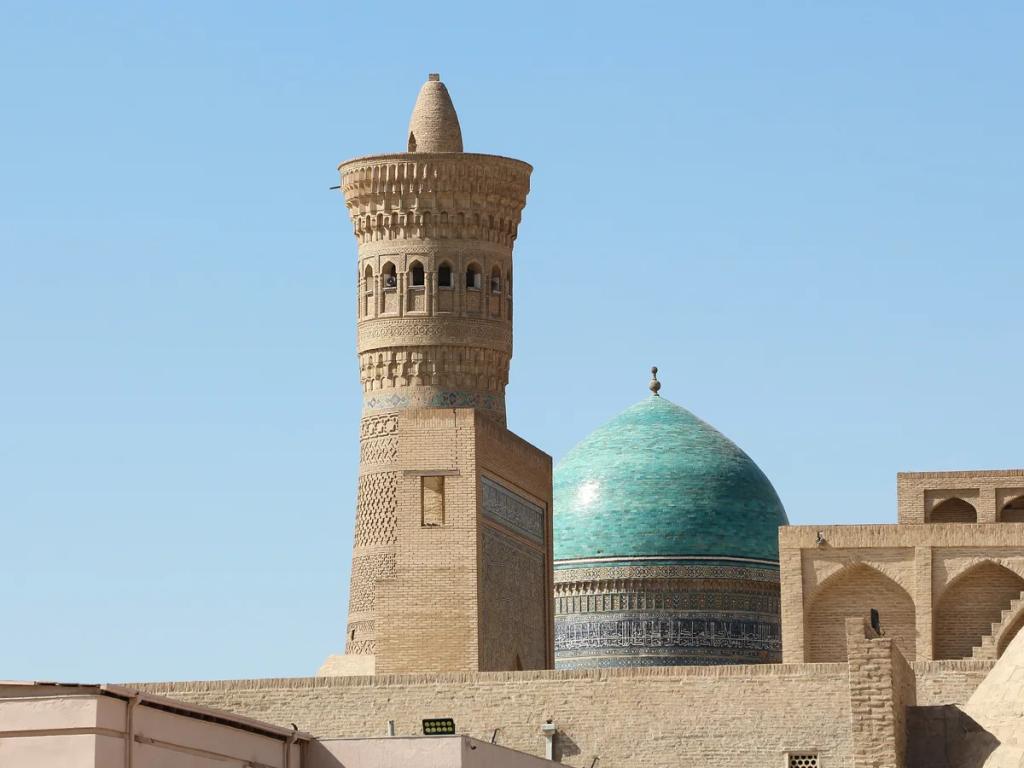
Beautiful view of Uzbekistan - stay connected with eSIM Uzbekistan

Photo: Bgag · CC0 1.0

Quick Setup

No Roaming

4G/5G Speed

Refund Policy

Data only — no phone number, no calls, no SMS Your own number stays active on your existing SIM (dual SIM), and you can call and message through WhatsApp, FaceTime and similar apps.

Choose Your Plan

Starting from£2.80

Select a data plan above to proceed to checkout

Uzbekistan eSIM Technical Specifications

Network Speed
4G LTE / 5G
Activation
QR code by email
Calls & SMS
Not included

You do not get a new phone number with this eSIM.

Uzbekistan eSIM FAQ for UK Travellers

Do I get a phone number with the eSIM?
No. Our eSIMs are data-only, so they do not come with a phone number. You use them for internet access — maps, WhatsApp, email, social media, streaming and any other app. Your existing SIM keeps your own phone number active.
Can I make or receive calls and text messages (SMS)?
Not standard calls or SMS — the eSIM provides mobile data only. You can call and message as much as you like through internet apps such as WhatsApp, FaceTime, Telegram, Signal or Messenger, which run on the eSIM's data. Standard calls and SMS keep working on your usual number through your home operator, as long as you keep that SIM active.
How much data do I need in Uzbekistan?
It depends on the plan you choose. Across nearly 3,000 of our customers' finished eSIMs, the typical one used half to two-thirds of its plan, and on the smaller plans (1-5 GB) about one in three used all of it. Maps and messaging use little; video, video calls and sharing your connection use the most. If in doubt, take the next size up. If you do run out, you can buy another eSIM at any time - you will need WiFi to install it.
What network speeds will I get in Uzbekistan?
Your Uzbekistan eSIM uses a local mobile network: 4G, and 5G where the network offers it. Speed depends on coverage and your location.
Can I share data with my laptop or tablet?
Yes, but only for Data Plans with a fixed data allowance. Unlimited plans do not support hotspot or tethering.
When should I install my Uzbekistan eSIM?
Install your eSIM while you still have WiFi at home - it is safe to do so days in advance for either plan type. Per-GB plans only start when the eSIM first connects to a network in Uzbekistan. Unlimited plans run on the travel dates you select at checkout, with the days counting from your chosen start date whether the eSIM is installed or not - so make sure it is on your phone by that date.

Setting up your eSIM? The installation and activation guide walks through it step by step, and the full FAQ covers device compatibility, hotspot, dual SIM and topping up.

Skip Airport WiFi in Uzbekistan - Land with Data Sorted

Your eSIM for Uzbekistan and the Silk Road

Roaming into Uzbekistan is usually expensive and local SIMs mean paperwork, so a travel eSIM is the simple way to stay connected across Tashkent, Samarkand and Bukhara. Set it up at home and it is working the moment you arrive.

Arriving at Tashkent and Samarkand

The eSIM activates when you turn off airplane mode at Tashkent (TAS) or Samarkand (SKD). Maps, translation and messaging are ready immediately - genuinely useful where signage is in Uzbek and Russian.

Coverage in the Silk Road cities

Uzbekistan's networks (Ucell, Beeline, Mobiuz and Uzmobile) cover Tashkent, Samarkand, Bukhara and Khiva with 4G, which is fine for navigating the medinas and madrasas and sharing photos. Long desert drives between the cities can drop out, so download offline maps for the road.

Uzbekistan from the UK: visa-free, but bring cash

British passport holders can visit Uzbekistan without a visa for up to 30 days, on a passport valid for three months after arrival. You must be registered within three days of arriving, weekends included - hotels do it for you, and the tourist tax is usually in the hotel bill (gov.uk, updated 19 March 2026).

Plan your money before you go: the Foreign Office advises bringing enough cash for the whole stay, as cash machines are scarce outside the cities, and exchange offices will not take US dollar notes issued before 2013. Declare 10,000 dollars or more, and you cannot leave with more foreign currency than you brought.

Flights, time and your UK plan

Uzbekistan Airways flies non-stop from Heathrow to Tashkent in under seven hours. Uzbekistan is four hours ahead of the UK in British Summer Time and five in winter. Sockets are the European two-pin kind. On a UK plan, EE charges £8 for 24 hours with only 500MB, Vodafone £8 a day, Three £7, and O2 has no O2 Travel pass there - bolt-ons start at £26 for 100MB.
Good to know before you go

Is coverage good in Samarkand and Bukhara?+

Yes - the main Silk Road cities have 4G across the tourist areas. The desert routes between them can be patchy, so save offline maps.

Why use an eSIM instead of roaming?+

Standard roaming to Uzbekistan is typically expensive, and local SIMs require registration. A prepaid travel eSIM is cheaper and works on arrival.

Do I need a visa for Uzbekistan with a British passport?+

No, not for up to 30 days of tourism or business. You must be registered within three days of arrival, which hotels do for you (gov.uk, updated 19 March 2026).

Real Reviews from Real Travellers

“I had uninterrupted and consistent quick data service throughout our vacation in Colombia.”

Tamara J WaldronFeb 2026

“I travelled to Japan in October. The connection was great, even in countryside near Mt. Fuji.”

João Miguel TorradoFeb 2026

“I've finally found a great roaming for a fair price. The internet was stable and good enough.”

AudreyFeb 2026

“QR code arrived and I was able to scan and install it in less than 2 minutes. Consistent 4G/5G speeds.”

Nuno CristóvãoFeb 2026

“Landed in Morocco and had internet before the mint tea got poured. Smooth as argan oil.”

Jan WinterFeb 2026

“Easy to use. Convenient. Works perfectly here in Singapore.”

NunoFeb 2026

“I used it when I was travelling, the connection was great.”

Martin GeorgeFeb 2026

“It worked as expected.”

Nuno CordeiroFeb 2026